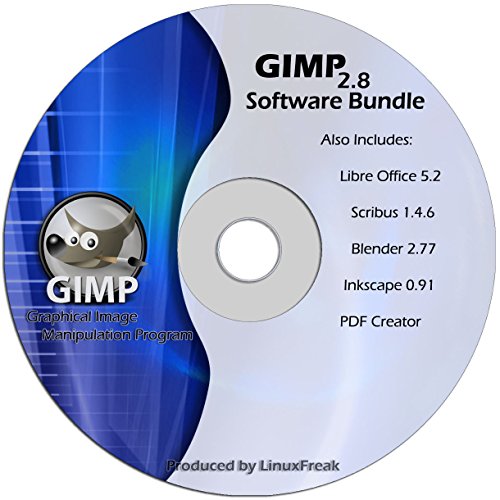
Gimp 2.8 – Photo Editing Software – (Alternative to Photoshop)
This post contains affiliate links. As an Amazon Associate I earn from qualifying purchases Originally released for use in the Linux desktop environment, GIMP has grown by leaps and bounds, becoming a very powerful, popular, and versatile program used by millions around the world. GIMP is a graphics editor used to process digital graphics and
This post contains affiliate links. As an Amazon Associate I earn from qualifying purchases
Originally released for use in the Linux desktop environment, GIMP has grown by leaps and bounds, becoming a very powerful, popular, and versatile program used by millions around the world.
GIMP is a graphics editor used to process digital graphics and photographs, and is very similar to Adobe Photoshop.
Typical uses include creating graphics and logos, resizing and cropping photos, altering colors, combining multiple images, removing unwanted image features, and converting between different image formats. GIMP can also be used to create basic animated images in GIF format.
GIMP’s manipulation tools can be accessed via the toolbox, menu paths, and dialog boxes (which are also known as palettes). They include filters and brushes, as well as transformation, selection, layer and masking tools. GIMP comes with 48 standard brushes, plus facilities to create new ones. Brushes (and brush tools) can be used in hard-edged, soft-edged, or eraser modes, be applied at different opacities, or used with different modes for composition.
Don’t spend hundreds of dollars on Photoshop, when GIMP will do it all for a fraction of the cost.
Product Features
- Customizable Interface – Each task requires a different environment and GIMP allows you to customize the view and behavior the way you like it.
- Photo Enhancement – Numerous digital photo imperfections can be easily compensated for using GIMP.
- Digital Retouching – GIMP is ideal for advanced photo retouching techniques. Get rid of unneeded details using the clone tool, or touch up minor details easily with the new healing tool.
- Hardware Support – GIMP includes a very unique support for various input devices out of the box. Pressure and tilt sensitive tablets, but also a wide range of USB or MIDI controllers.
- File Formats – The file format support ranges from the common likes of JPEG (JFIF), GIF, PNG, TIFF to special use formats such as the multi-resolution and multi-color-depth Windows icon files.
This post contains affiliate links. As an Amazon Associate I earn from qualifying purchases